
Your documents,
readable only by you.
1Vault is a private vault for your ID cards, bills, certificates and insurance papers. Everything is encrypted on your phone before it leaves — so not even we can open it.
- 1 GB free encrypted storage
- iPhone & Android with Face ID and fingerprint
- Zero access for anyone but you


What you see, and what we store
When you add a document, 1Vault encrypts the file and every detail about it on your phone. Our servers only ever receive scrambled data, and the key never leaves your device.
On your phone

On our servers
- Name
- UvImZaYMEtKJGF2VDuiBNgkWb2sRPReN
- Tags
- bA/TkB/yOaGglfIPk5VlDPk4C47bIkprJIoekk6P0K4uGpSSozBfGA==
- Notes
- jLYQkA+eNH+uiG3GUHeV7HRcTD/LLrLHPhSTTIZ+4Fe6ckmb+hIeg2sqwVcm7n1rCvarE8OOkso=
- File
- 4NFQV7FZmH+UzHQR1xfxRXmyqhAPu7NPpZP+rtJySLdi46tYBfB2WiucHX4PN8RJIb0/ZWTq338UKnJmjEfiIw==…
- Key
- Not stored. Never sent.
Illustration of an encrypted record
From install to your first document
-
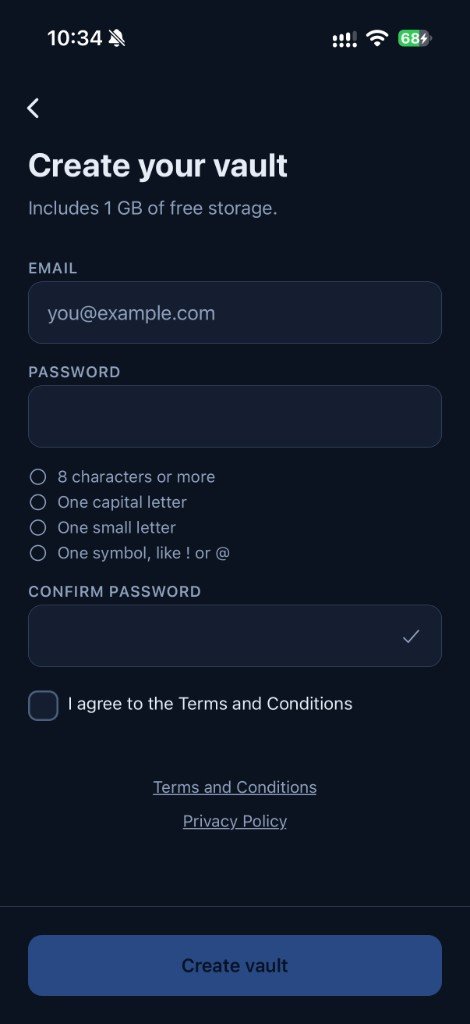
Create your vault
Sign up with your email and a strong password. Your encryption keys are made on the phone, and 1 GB of storage is included free.
-
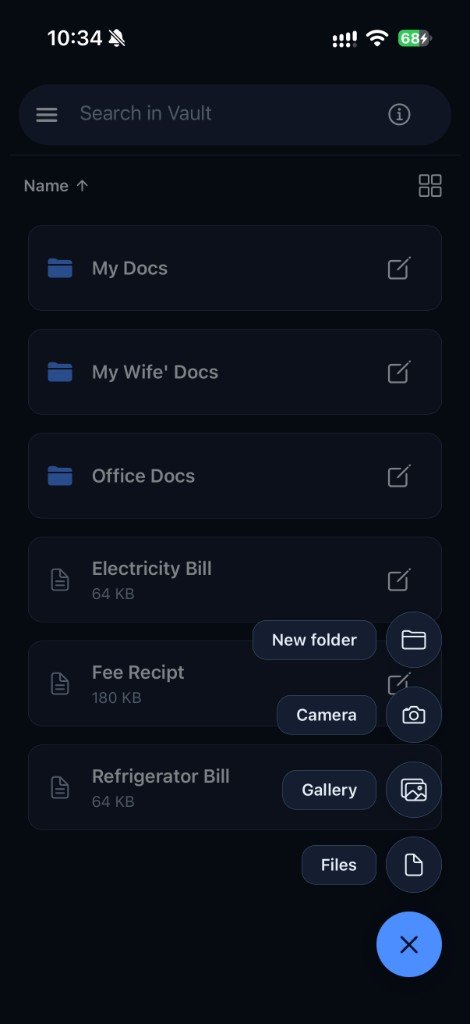
Add a document
Snap a photo, pick one from your gallery or import a file. Give it a name, tags and notes — all encrypted before upload.
-
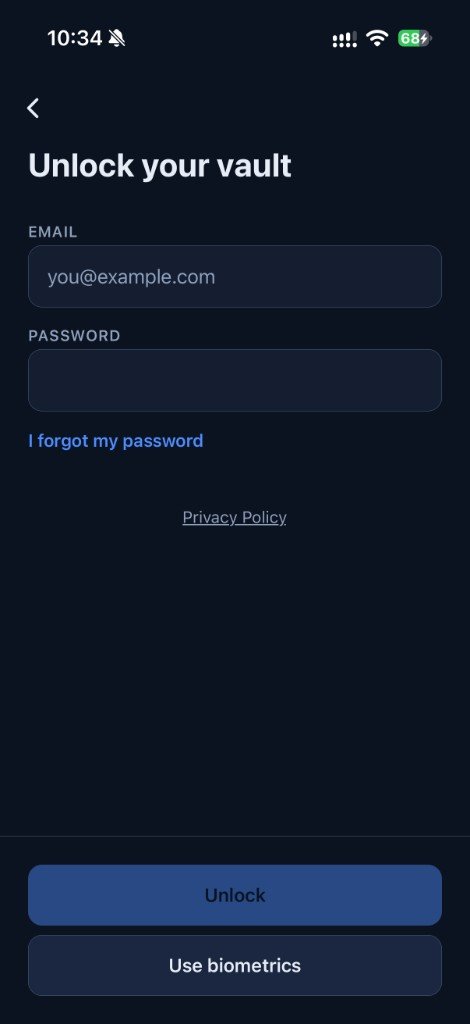
Open it anywhere
Unlock with your password, then with Face ID or your fingerprint on that phone. Your documents are ready when you need them.


Organised the way your papers are
Private doesn’t have to mean hard to use. 1Vault works like the folders you already keep at home — just safer.
- Folders for everything
- Keep family, office and household papers apart, with folders inside folders.
- Search that stays private
- Find a document by its name or tags. Search runs on your phone, never on our servers.
- List or grid
- See file sizes at a glance in the list, or switch to a grid for a quick overview.
- Camera, gallery or files
- Capture a paper on the spot, or bring in photos and PDFs you already have.

You hold the only key. Keep your recovery code safe.
Because we can never open your vault, we can’t reset it for you either. When you set up 1Vault, you get a recovery code. If you forget your password, that code is how you get back in.
Lose both, and the vault stays locked for good — the same protection that keeps everyone else out.
Questions about 1Vault
Can Artista staff read my 1Vault documents?
No. Files and their names, tags and notes are encrypted on your phone before they are uploaded. Our servers store only encrypted data and never hold a key that can open your vault.
What happens if I forget my password?
You restore access with your recovery code, which only you keep. If you lose both your password and your recovery code, nobody — including us — can open the vault again. That is the trade-off of true end-to-end encryption.
Is 1Vault free?
Every vault includes 1 GB of free encrypted storage.
Which phones does 1Vault work on?
1Vault is a mobile app for iPhone and Android. After the first unlock on a phone, you can open your vault with Face ID or your fingerprint.
How can I search documents if everything is encrypted?
Names and tags are decrypted on your phone after you unlock, so search runs on the device. The server never sees what you are searching for.
Where can I read more about 1Vault?
The product site, 1vault-app.com, has the security model, support, privacy policy and terms. This page explains the product Artista Solutions designed and built.
Building something that must stay private?
Artista Solutions designed and built 1Vault — from on-device encryption and key recovery to the iPhone and Android apps. We can do the same for your product.